What Is a Local LLM? Pros and Cons vs Cloud LLMs
How a Local LLM running directly on your own computer differs from Cloud LLMs like ChatGPT and Claude, and when it's the better choice.
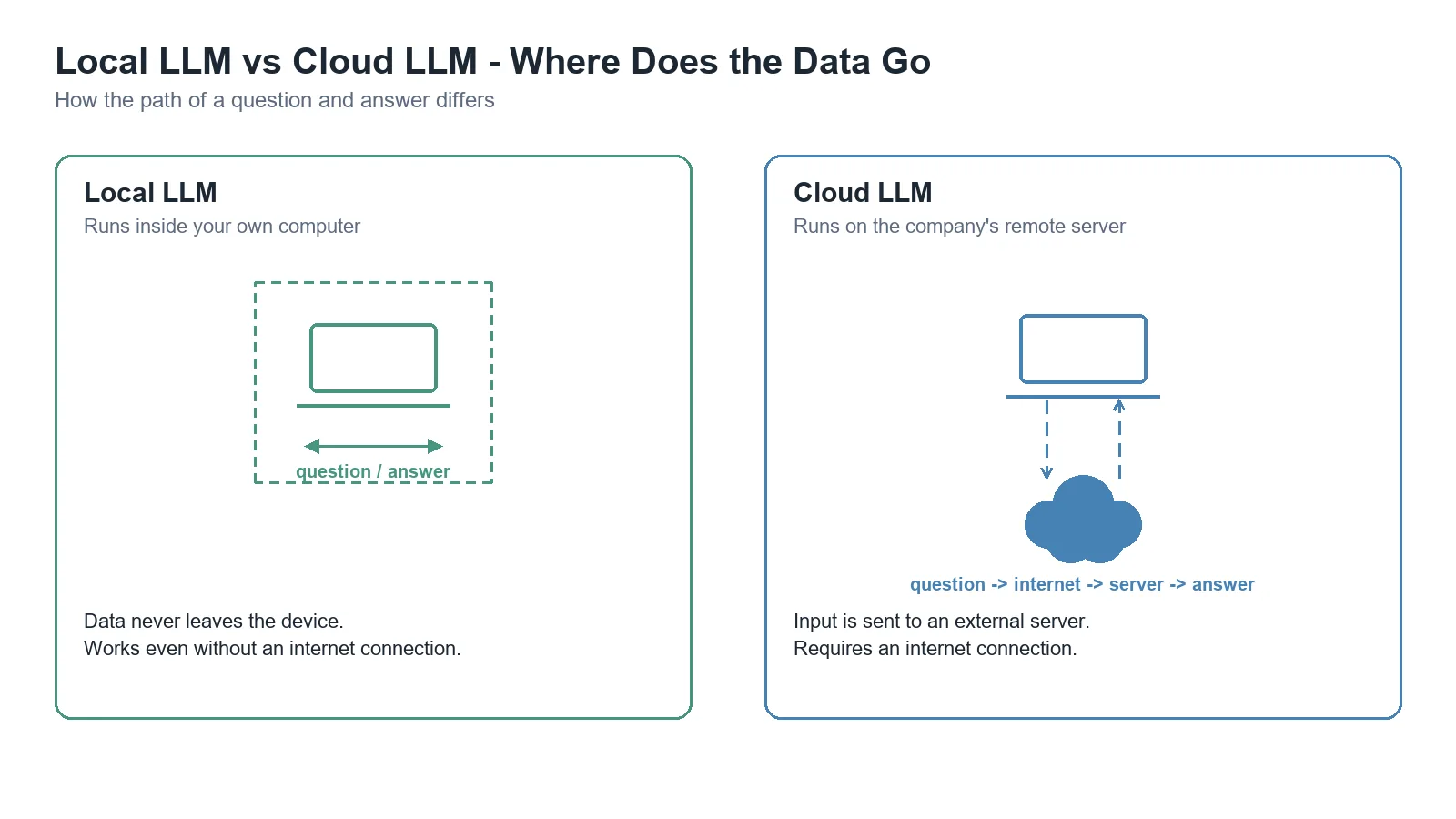
A Local LLM is an LLM that runs directly on your own computer (or an internal server), instead of sending requests over the internet to a company’s servers like ChatGPT or Claude do. Type a question, and the answer is generated right on your own hardware without going through the internet. Tools like LM Studio and Ollama are the leading programs that make this easy.
How it differs from a Cloud LLM
| Cloud LLM (ChatGPT, Claude, etc.) | Local LLM | |
|---|---|---|
| Runs where | The company’s remote servers | Your own computer / internal server |
| Data movement | Input is sent to an external server | Data never leaves the device |
| Cost structure | Usage-based billing (API) or subscription | Upfront hardware cost, no ongoing cost beyond electricity |
| Performance | Access to the latest, top-tier models | Limited by your hardware’s capability |
| Internet required | Yes | No (can run fully offline) |
Advantages of a Local LLM
- Privacy: what you type never leaves your device — especially important when handling sensitive internal documents or personal data.
- Offline use: works without an internet connection.
- Long-term cost structure: requires an upfront hardware investment (especially a GPU), but once you have it, higher usage doesn’t add ongoing API costs. Some analyses suggest that for very high usage (e.g. 500M+ tokens/month), it can become cheaper than a cloud API once you cross the break-even point.
- Predictable cost: a usage spike doesn’t suddenly balloon your bill.
Disadvantages of a Local LLM
- Performance gap: models that run on consumer hardware are often reported to lag behind top-tier cloud models like GPT-5.6 or Claude Sonnet 5 on reasoning and coding benchmarks.
- Speed: running on CPU alone, without a GPU, is noticeably slower than the cloud.
- Hardware requirements: larger models need more VRAM (graphics memory), limiting your options without a dedicated GPU investment.
- Setup complexity: needs more initial setup compared to a Cloud LLM that works in a few clicks — though tools like LM Studio and Ollama keep lowering this barrier.
When to consider a Local LLM
- Environments where sensitive data can’t leave the premises (healthcare, legal, internal confidential documents, etc.)
- Situations needing AI functionality with an unstable or fully offline internet connection
- High-volume repetitive work where API costs would add up
- Wanting to freely experiment with a variety of open-source models
On the other hand, if you need top-tier accuracy or want to get started immediately without a hardware investment, a Cloud LLM is still the sensible choice. In practice, a hybrid approach mixing both based on the situation is common — routine repetitive work goes local, while only genuinely hard tasks get sent to a cloud API.
Limitations and caveats
- A Local LLM’s performance depends heavily on the model and hardware used (especially GPU VRAM capacity), so the general statements here won’t apply identically to every situation.
- The cost break-even point (how many months it takes to pay off) varies a lot depending on the assumptions each analysis makes. The figures cited here come from a tier-2 analysis based on a specific scenario and may not hold in your actual situation.
Conclusion
A Local LLM is a good fit for situations where “it’s worth giving up a bit of performance to keep data on your own hands, or to control cost long-term.” How to actually get started is covered next in How to Use LM Studio and Ollama vs LM Studio.