How Much VRAM Does a GPU Need for Local LLMs?
How much GPU VRAM you need by model size when running local LLMs with LM Studio or Ollama, and how to choose on a budget.
When choosing a GPU to run a local LLM, the spec that matters most isn’t compute throughput (FLOPS) — it’s VRAM capacity. As explained in Why GPU VRAM Matters for AI Workloads, if a model can’t fully fit in VRAM, it either fails to run at all or falls back to CPU/RAM and slows down dramatically. This article covers how to pick a GPU based on the size of model you actually want to run with tools like LM Studio or Ollama.
Rough VRAM guidelines by purpose
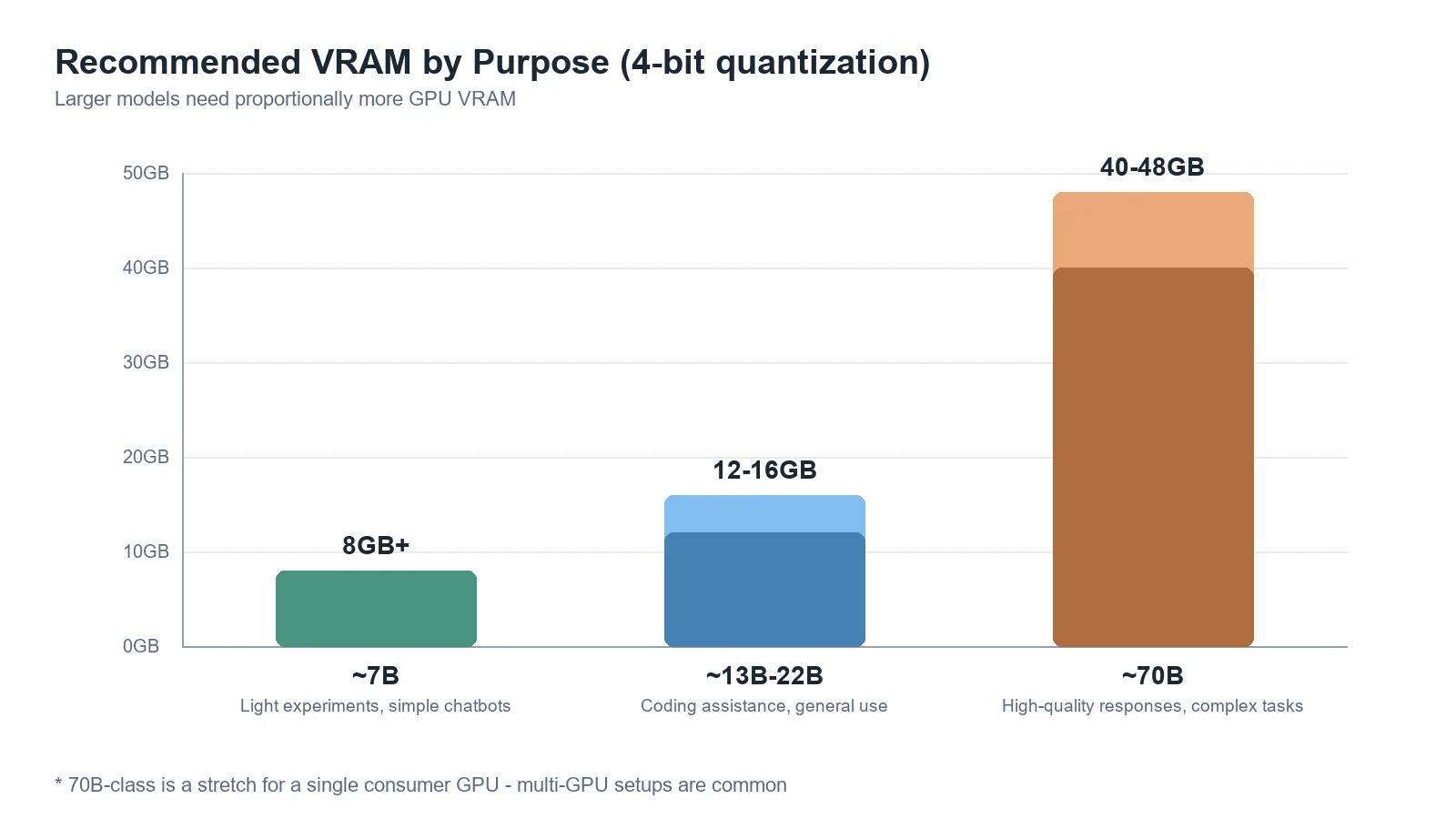
| Purpose | Model size (example) | Recommended VRAM (4-bit quantization) |
|---|---|---|
| Light experimentation, simple chatbots | ~7B | 8GB or more |
| Coding assistance, general work | ~13B–22B | 12–16GB |
| High-quality responses, complex tasks | ~70B | 40–48GB (or multiple GPUs) |
7B-class models run comfortably on most recent consumer GPUs. From roughly 13B–22B, you’ll need a card with 16GB of VRAM or more. 70B-class models are a stretch for a single consumer GPU — a workstation/server-grade GPU with large VRAM, or a multi-GPU setup, is typically required.
Context length also eats into VRAM
Even with the same model, longer conversations or long documents fed in at once grow the KV cache and increase VRAM usage. If you’ll be summarizing long documents or holding long conversations rather than short Q&A exchanges, leave more headroom than the model-size-based estimate alone would suggest.
Checklist for picking a GPU
- VRAM first, clock speed second — at the same budget, a card with more VRAM but a slightly lower core clock is generally the better choice for local LLM use.
- Decide on a quantization level up front — calculating required VRAM based on 4-bit (GGUF/AWQ/GPTQ) lets you run a larger model within the same budget.
- CPU/unified-memory offload is a last resort — offloading part of the model to RAM when VRAM is insufficient is possible, but the speed hit is significant, so it’s not recommended for regular use.
- Double-check actual specs at purchase time — GPU lineups and VRAM capacities keep changing, so treat this article’s tables as general guidance only and confirm specific model names and prices against the manufacturer’s official specs.
Conclusion
The sensible approach to picking a GPU for local LLMs is to first decide what size of model you’ll run for what purpose, then calculate VRAM headroom from there. As a rough guide, 7B-class needs about 8GB, 13B–22B-class needs around 16GB, and 70B-class needs 40GB or more — and it’s safer to add margin for the context length you’ll actually use.