What Is an MCP Server? Structure and Real Examples
What an MCP server actually does and how to connect one to Claude Code, based on official documentation's command examples.
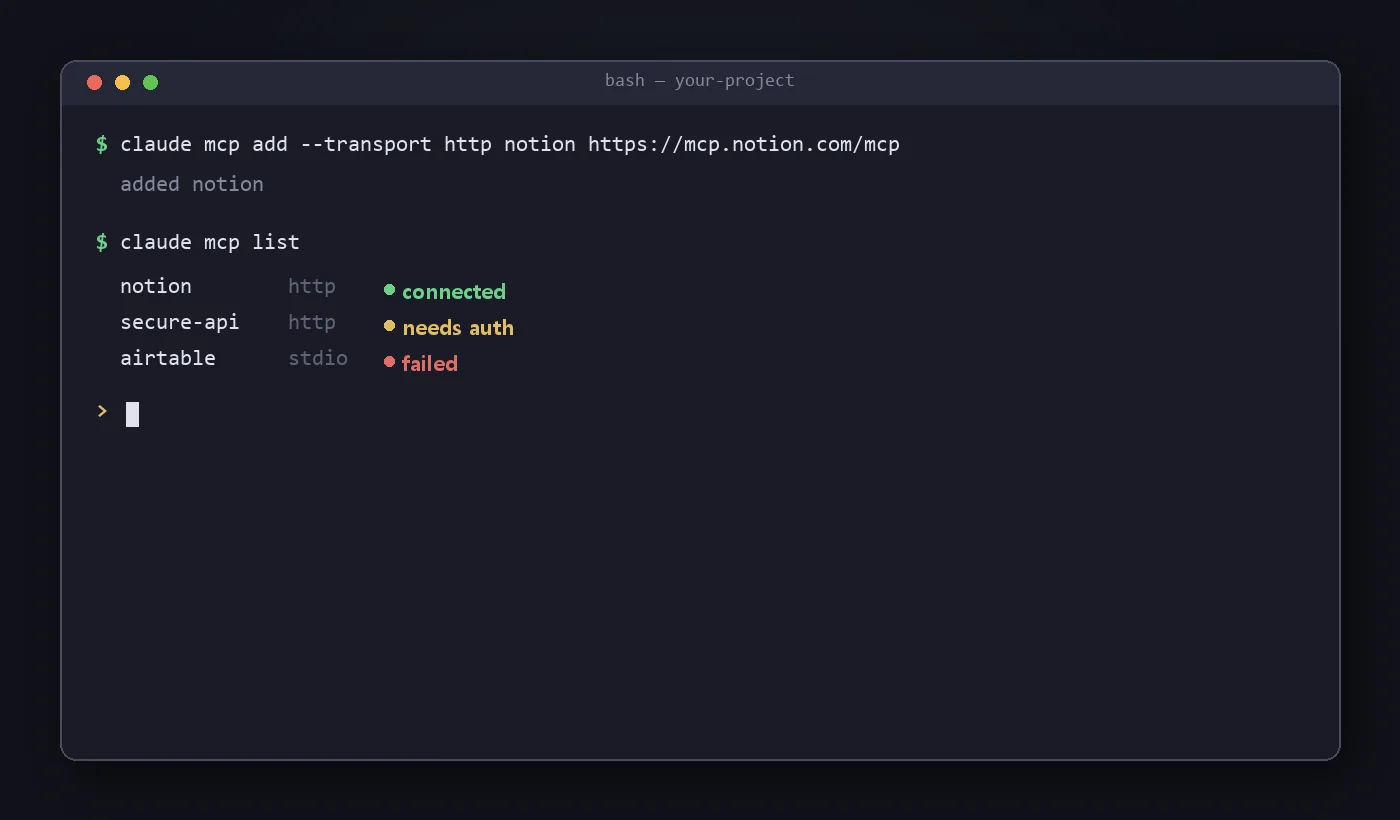
An MCP Server is a program that provides an AI with tools, data (Resources), and templates (Prompts) according to the MCP spec. It can be a small script running on your local machine, or a remote service run by a company like Notion or Asana. This article summarizes, based on official documentation, what forms an MCP Server actually takes and how to connect one to Claude Code.
Two ways an MCP Server can run
MCP servers broadly split into two types by connection method (transport layer).
| Method | Runs where | Typical examples |
|---|---|---|
| Remote server (HTTP) | On the service provider’s servers | Official MCP servers from Notion, Asana, etc. |
| Local server (stdio) | As a process on your own computer | File-system access, custom scripts |
SSE (Server-Sent Events) was used in the past, but the official docs now list it as deprecated and recommend HTTP where possible. WebSocket is also used in the specific case where a server needs to push events in real time.
How to actually connect a server
In Claude Code, servers are registered with the claude mcp add command. The examples below are quoted directly from the official documentation.
Connecting a remote HTTP server (e.g. Notion):
claude mcp add --transport http notion https://mcp.notion.com/mcpA remote server that needs an auth token:
claude mcp add --transport http secure-api https://api.example.com/mcp \
  --header "Authorization: Bearer your-token"
Connecting a local stdio server (e.g. Airtable, passing an API key via env var):
claude mcp add --env AIRTABLE_API_KEY=YOUR_KEY --transport stdio airtable \
  -- npx -y airtable-mcp-server
Everything after -- is the actual command that runs the server; everything before it is Claude Code’s own options (--transport, --env, etc.). Without that separator, options meant for the server can be misinterpreted as Claude Code’s own options.
Checking connection status
After adding a server, you can check its status with these commands.
# List all registered servers and their status
claude mcp list

# View details for a specific server
claude mcp get notion

# Remove a server
claude mcp remove notion
claude mcp list shows a connection status next to each server. Statuses like “connected,” “needs auth,” or “failed” let you immediately tell whether a server is working correctly.
Where to find MCP servers
- Looking for an existing server: check the reference server list in the official MCP repository, or the official MCP server documentation each service (Notion, Asana, Sentry, etc.) provides directly.
- No server exists for what you need: build one yourself following the official MCP development guide, or use Claude Code’s official server-scaffolding plugin to generate a server skeleton interactively.
Limitations and caveats
- Security matters most. The official docs explicitly say to verify a server is trustworthy before connecting. A server that pulls in external content can become a vector for prompt injection attacks.
- Server configs written for other AI tools (Claude Desktop, Cursor, etc.) can usually be ported to a Claude Code command easily once you identify whether they’re specified as a URL, a run command, or JSON config.
- The commands and options described here are quoted from Claude Code’s official documentation as of August 22, 2026, and haven’t been independently verified by running them. Options can change by version, so check the official documentation before actual use.
Conclusion
An MCP Server is what actually determines “what an AI can access.” If MCP as a concept is the spec, an MCP Server is the program that implements that spec and hands over real data and functionality. With Claude Code, the barrier to entry is low enough that a single claude mcp add command connects most servers — but which servers to trust and connect remains a judgment call the user has to make.