What Is Claude Code? From Install to Real-World Use
A rundown of Anthropic's agentic coding tool Claude Code — what it is, how to install it on each OS, its core features, and pricing — based on official documentation.
Claude Code is an agentic coding tool from Anthropic that goes beyond autocomplete — it reads a codebase directly, edits files, and runs commands to carry a development task through to completion. It works the same way across the terminal, IDEs like VS Code and JetBrains, a standalone desktop app, and the web.
This article summarizes, based on Anthropic’s official documentation, exactly what Claude Code can do, how to install it on each operating system, and how it’s used in practice.
What makes Claude Code different
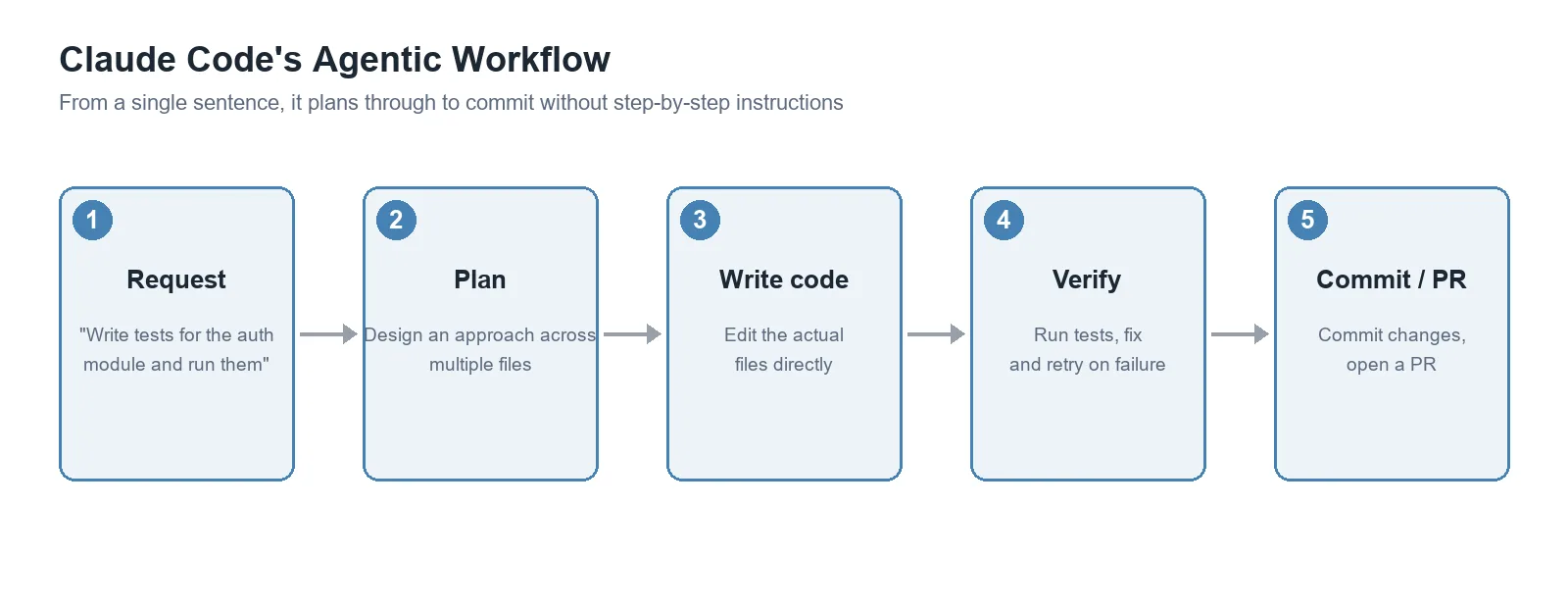
Unlike typical AI code-completion tools (inline suggestions, autocomplete), Claude Code is used to delegate an entire task. A single sentence like “write tests for the auth module, run them, and fix any failures” is enough for it to plan across multiple files, write the code, and verify the result. This approach is called “agentic” — the AI judges for itself and carries out multiple steps in sequence without step-by-step human instruction.
The diagram below breaks down how a single request like that actually gets processed. Without a human giving instructions at every step, it proceeds from planning through writing code, verification, and committing.
Installation (by operating system)
Claude Code can be installed several ways. The commands below are quoted directly from Anthropic’s official documentation and haven’t been independently verified by running them.
macOS / Linux / WSL (recommended):
curl -fsSL https://claude.ai/install.sh | bashWindows PowerShell:
irm https://claude.ai/install.ps1 | iexWindows CMD:
curl -fsSL https://claude.ai/install.cmd -o install.cmd && install.cmd && del install.cmdHomebrew (macOS/Linux):
brew install --cask claude-codeWinGet (Windows):
winget install Anthropic.ClaudeCodeOn Debian, Fedora, RHEL, and Alpine-based distros, it can also be installed via apt, dnf, or apk. The native install (the curl/irm methods above) updates automatically in the background, while Homebrew and WinGet installs need brew upgrade or winget upgrade run manually to stay current.
First run
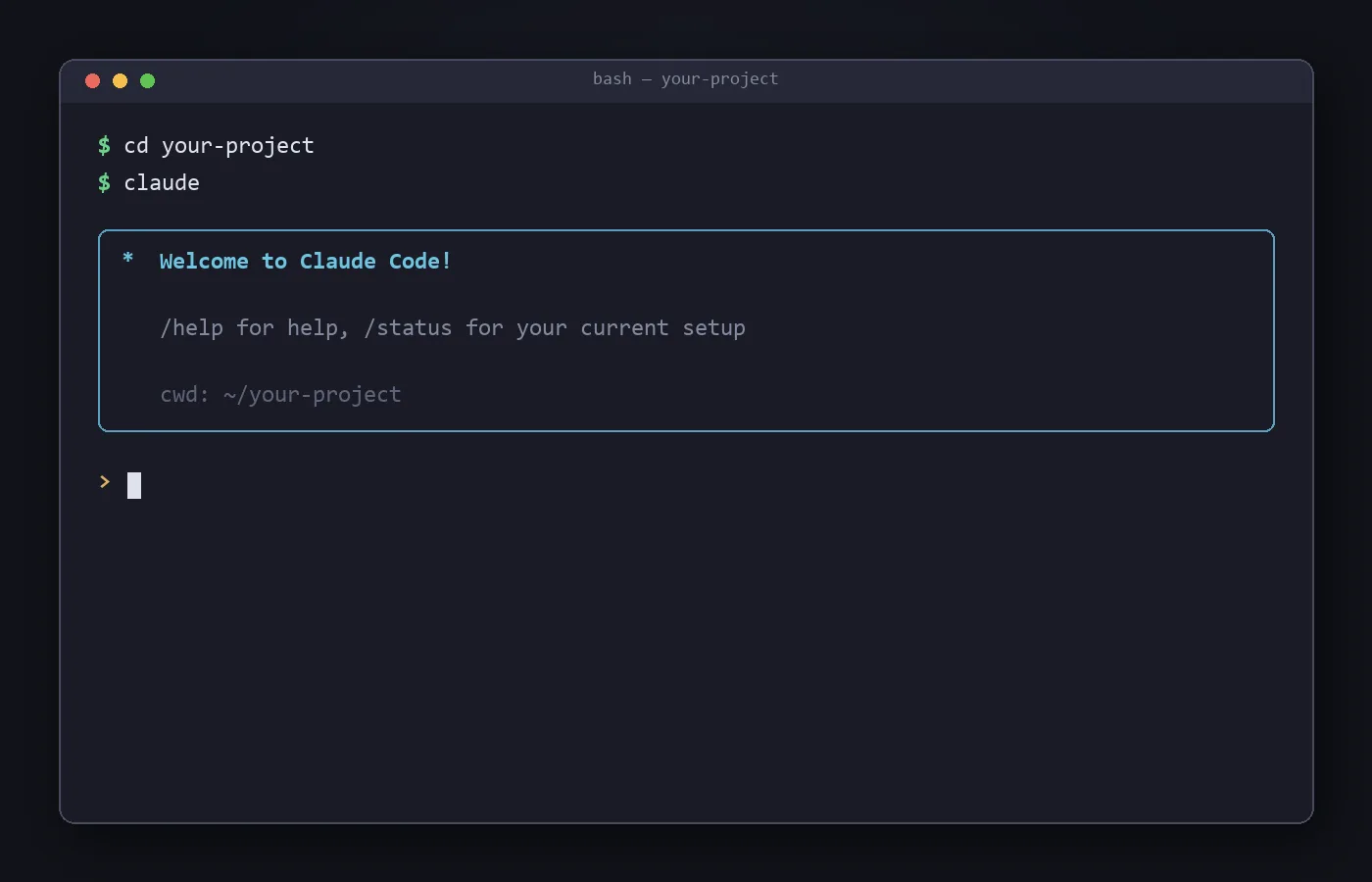
After installing, just move into your project folder and run claude.
cd your-project
claude
On first run you’ll see a login screen. If the ANTHROPIC_API_KEY environment variable is already set, it asks whether to use the API key instead of prompting you to log in.
Beyond the terminal, the same functionality is available through the VS Code/JetBrains extensions, a standalone desktop app (requires login and a paid subscription), and the web browser at claude.ai/code.
Key features
The core features Anthropic’s official documentation highlights are:
- Automating repetitive work: writing tests, fixing lint errors, resolving merge conflicts, updating dependencies, writing release notes, and other tedious-but-necessary tasks can be delegated.
- Building features and fixing bugs: describe the behavior you want in a sentence, and it plans an approach, writes code across multiple files, and verifies the result.
- Git integration: it stages changes, writes commit messages, creates branches, and opens pull requests directly.
- MCP (Model Context Protocol) connections: an open standard for connecting to external tools — reading design docs in Google Drive, updating Jira tickets, pulling data from Slack, and more.
- CLAUDE.md, Skills, and Hooks: placing a
CLAUDE.mdfile at the project root has it automatically read coding conventions and architecture decisions at the start of every session. Recurring workflows can be packaged as Skills (like/review-pr) and shared with a team, and tasks like auto-formatting after a file edit can be wired up as Hooks. - Parallel agents: it can run Subagents that split one task into several subtasks processed at once, and Background Agents let you manage multiple sessions from a single screen.
- CLI pipelines: following the Unix philosophy, logs can be piped in, it can run in CI, and it can be chained with other tools. Example:
tail -200 app.log | claude -p "let me know on Slack if you see anything unusual" - Scheduled tasks:
/scheduleor Routines (which run in the cloud, even with your computer off) can automate recurring work like morning PR reviews or overnight CI-failure analysis. - Continue from anywhere: pick up a session on your phone with Remote Control,
--teleporta task started on the web into your terminal, or mention@Claudein Slack to turn a bug report into a pull request.
Pricing
Claude Code isn’t a separate product — it’s included as part of a Claude subscription plan.
| Plan | Price | Includes Claude Code |
|---|---|---|
| Free | $0/month | Not explicitly included |
| Pro | $17/month (annual) or $20/month (monthly) | Included |
| Max (5x / 20x) | From $100/month | Included, with higher usage limits |
| Team | $20/seat/month (annual) or $25/month | Included |
| Enterprise | Per-seat billing + usage | Included |
It’s also available on usage-based billing via an API key (Anthropic Console), so it’s possible to use it by paying only for API usage without a subscription.
Limitations and caveats
- Because Claude Code can actually modify and run code, it’s worth making a habit of reviewing changes before anything important. The official docs also emphasize features for visually reviewing diffs (the desktop app, IDE extensions).
- The Free plan doesn’t explicitly support Claude Code, so using it requires at least a Pro plan or an API key.
- The features and pricing described here reflect August 22, 2026; since Anthropic updates this frequently, check the official documentation for the latest details before relying on it.
- Claude Code uses models like Claude Sonnet 5 and Opus 5 under the hood, so speed and cost vary depending on which model is used. A comparison with an IDE-based tool is covered in Claude Code vs Cursor.
Conclusion
Claude Code is less “autocomplete that writes code for you” and more “a development agent you can hand an entire task to.” It’s notable for starting with a single terminal command and being able to carry work across the IDE, desktop, web, and mobile as needed. If you already subscribe to Claude Pro or above, you can install and try it at no extra cost.